Fazlur Rahman
What makes a gaming monitor worth the money in 2026
The best gaming monitor in 2026 is the one that matches your GPU's output and the games you play. A 4K 240Hz OLED is wasted on a mid-range GPU. A 1080p 144Hz panel is the wrong tool for AAA single-player. The right picks split into three lanes: 1440p 165Hz to 180Hz for most gamers (the sweet spot for RTX 4070 and below), 4K 240Hz OLED for high-end rigs (RTX 4080+), and 1440p 240Hz to 360Hz OLED for competitive play (Valorant, CS, Apex).
The three specs that matter: panel type (IPS for color accuracy, VA for contrast, OLED for HDR and motion), refresh rate (the FPS the display can render), and response time (the milliseconds for a pixel to change). Below 144Hz feels sluggish in 2026. 165Hz to 180Hz is the new floor. 240Hz to 360Hz is where competitive players land. 4K is for visual fidelity, not speed.
Top gaming monitors at a glance
| Monitor | Size | Resolution | Refresh | Panel | Best for |
|---|---|---|---|---|---|
| LG UltraGear 27GS | 27" | 1440p | 200Hz | IPS | Mid-range gaming, all-round |
| ASUS ROG Swift PG27AQDP | 27" | 1440p | 480Hz | WOLED | Competitive esports, OLED motion |
| Alienware AW2725DF | 27" | 1440p | 360Hz | QD-OLED | HDR gaming, color accuracy |
| MSI MAG 274QRF QD | 27" | 1440p | 180Hz | Rapid IPS | Budget-friendly, all-round |
| Gigabyte M27Q | 27" | 1440p | 170Hz | IPS | Entry-level, 1080p-capable |
LG UltraGear 27GS: the all-round mid-range pick
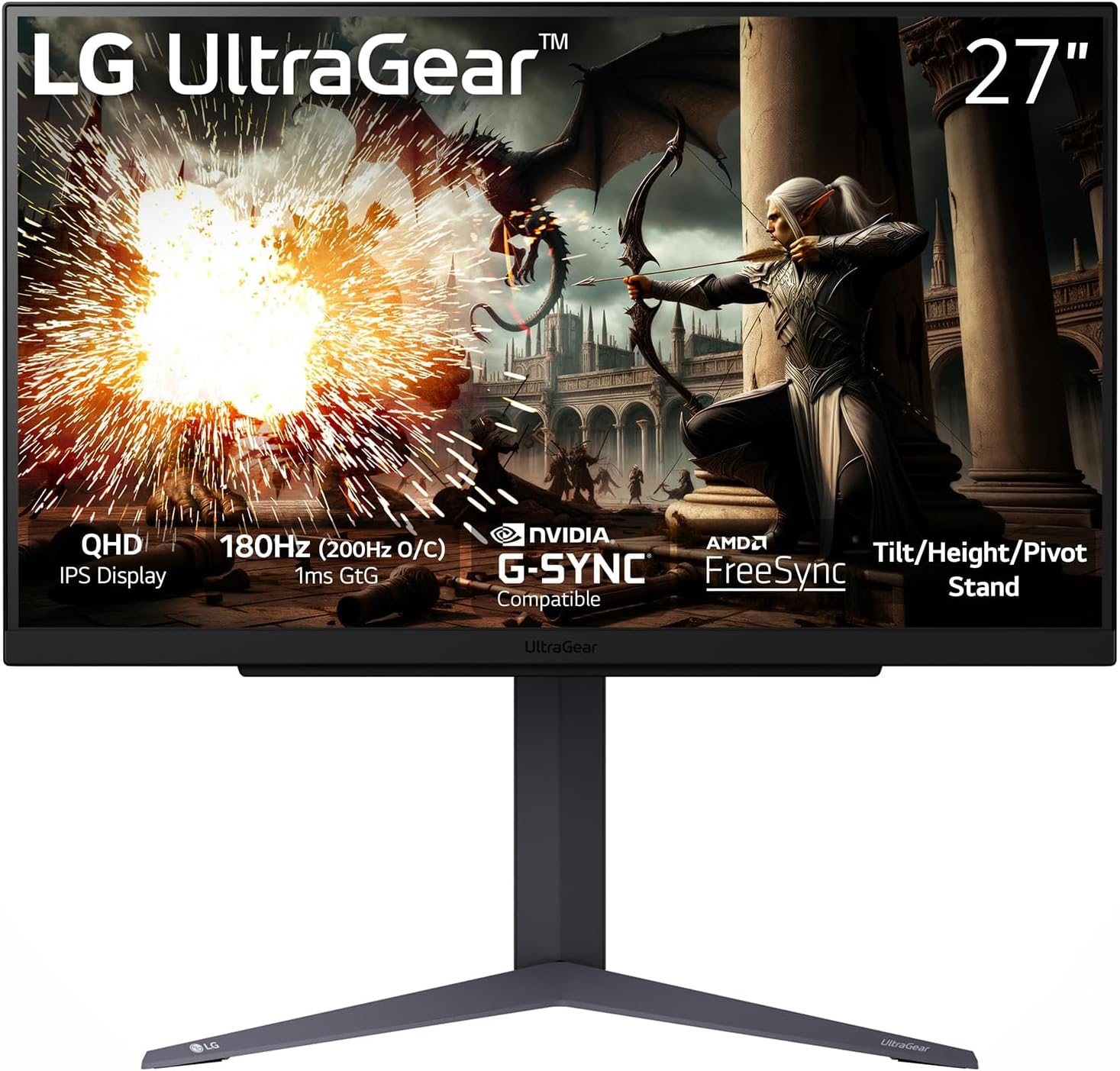
The LG 27GS hits the 2026 sweet spot: 1440p, 200Hz, Nano IPS panel with 1ms GtG response, and HDR400. The 27-inch size fits a standard desk. The IPS panel gives wide viewing angles and accurate color out of the box, which matters for non-gaming work. G-Sync Compatible and FreeSync Premium Pro support cover both major GPU brands.
The trade-off: the HDR400 rating is a marketing floor, not a meaningful HDR experience. For true HDR you need OLED or a DisplayHDR 600+ LCD. For 90% of gaming use, the 27GS is the right balance of price, speed, and image quality.
ASUS ROG Swift PG27AQDP: best for competitive OLED

The PG27AQDP is the first 1440p 480Hz OLED display, and it's the fastest gaming monitor you can buy in 2026. The WOLED panel delivers 0.03ms GtG response, which is an order of magnitude faster than any LCD. Motion clarity at 480Hz is unmatched, and the OLED's per-pixel dimming makes the in-game dark scenes (Valorant, CS, Apex) actually dark, not the gray wash you get on IPS.
The trade-off: $1,000 to $1,200 price. Most competitive players will benefit more from 360Hz QD-OLED at $700 to $800 than from 480Hz at $1,100. The 480Hz is the answer if you specifically need the absolute fastest motion, and your GPU can drive 480 frames at 1440p in the games you play.
Alienware AW2725DF: best for HDR and color

The AW2725DF is Alienware's 1440p 360Hz QD-OLED, and it's the best HDR experience you can get at this size. The DisplayHDR True Black 400 rating is meaningful on QD-OLED: peak brightness hits 1,000 nits in HDR highlights, and per-pixel dimming means perfect black levels. The color gamut is 99% DCI-P3, which is wide enough for video work and gaming.
For gamers who play a mix of AAA single-player (Cyberpunk, RDR2, Spider-Man) and competitive, the AW2725DF hits both lanes. The 360Hz refresh handles competitive. The QD-OLED HDR handles the cinematic. The price ($700 to $800) is high but the value is real.
MSI MAG 274QRF QD: best budget pick
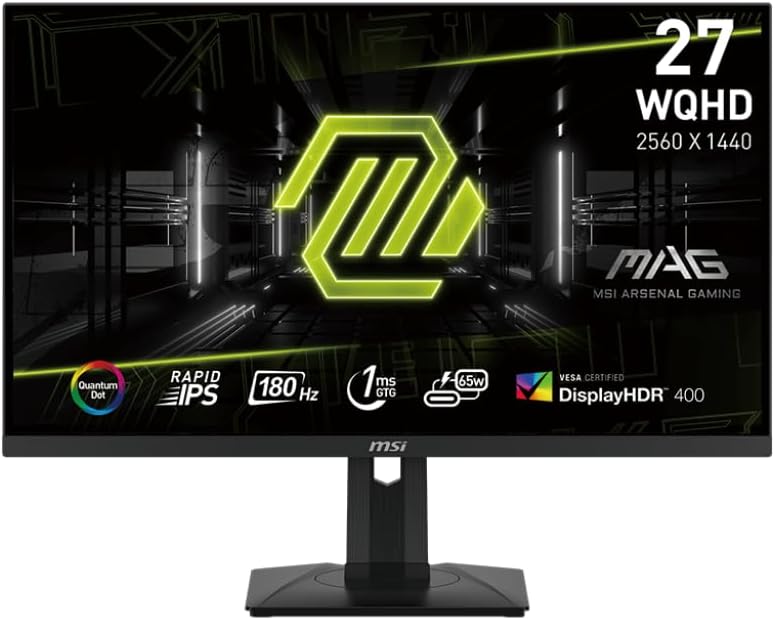
The MSI MAG 274QRF QD delivers 1440p 180Hz on a Rapid IPS panel for $250 to $300, which is the cheapest 1440p 180Hz display in 2026. The image quality is competitive with LG and ASUS at the same spec, the build is solid, and the warranty is 3 years. For RTX 4060 or 4070 builds, this is the answer.
Skip the HDR claim (DisplayHDR 400) and treat it as a great SDR monitor. Buy this if the budget is tight and the games are more about play than pixel perfection.
Gigabyte M27Q: best entry-level

The M27Q is the budget pick: 1440p 170Hz IPS for $200 or less. It's the right answer for first-time PC builders, students, and secondary monitors. The KVM switch is a useful feature if you use the same keyboard and mouse across a work laptop and a gaming PC.
The trade-off: 170Hz refresh is fine for most games but not for high-FPS competitive. The color is good for IPS but not calibrated for color work. For the price, it's the most monitor you can buy.
OLED burn-in: real but manageable
OLED burn-in happens when a static image (HUD, browser, Windows taskbar) stays on screen for hundreds of hours, leaving a faint ghost. The 2025 and 2026 OLED panels are far more resistant than the 2017 to 2020 generation, with 3-year warranties covering burn-in from normal use. The real risk is leaving a static image on screen for 8+ hours a day, every day, for years.
For most gamers, OLED burn-in is not a real concern. Use the auto-brightness and pixel-refresh features (every modern OLED has them), enable dark mode, hide the taskbar when gaming, and the panel will outlast the rest of your PC. The 3-year warranty from LG, Alienware, and ASUS is the safety net.
Resolution and refresh rate by GPU
For RTX 4060 and below: 1440p 144Hz to 180Hz is the right lane. 4K is too demanding. Pick the MSI MAG 274QRF or LG 27GS. For RTX 4070: 1440p 180Hz to 240Hz. The LG 27GS hits the top of this range. For RTX 4070 Ti and 4080: 1440p 240Hz to 360Hz or 4K 120Hz. The Alienware AW2725DF is the sweet spot. For RTX 4090 and 5090: 4K 240Hz OLED or 1440p 480Hz. The ASUS PG27AQDP is the top-end answer.
Console gaming (PS5, Xbox Series X): 4K 120Hz HDMI 2.1 is the spec to look for. Both the LG 27GS and the Alienware AW2725DF support it. Avoid 1080p monitors for console use; the visual downgrade is severe.
Adaptive sync: G-Sync vs FreeSync
G-Sync (NVIDIA) and FreeSync (AMD) eliminate screen tearing by syncing the display refresh to the GPU frame output. The 2026 reality: every gaming monitor supports both, regardless of brand. NVIDIA's G-Sync Compatible certification is just a free-sync variant. AMD's FreeSync Premium Pro covers both. The buying decision is which monitor has the best image quality and warranty, not which sync technology it has.
For NVIDIA GPUs, G-Sync Compatible works on any FreeSync Premium or higher display. For AMD GPUs, FreeSync works on any compatible display. The only time it matters: a G-Sync Ultimate display with NVIDIA's hardware module is required for the absolute lowest frame variance in HDR. For most gamers, the difference is invisible.
What you don't need to pay for
Curved 27-inch displays are marketing. The curve is invisible at 27 inches. The 32-inch and 34-inch ultrawide 1800R curves are real and useful for immersion. The 1500R curves on 27-inch monitors are not. Skip the curve, save $50 to $100. 4K at 27 inches: the pixel density is real, but 1440p is sharp enough at typical desk distances. 4K is for 32 inches and up. RGB lighting on the back: doesn't improve the image. Skip it. Built-in speakers: monitor speakers are universally bad. Use headphones or external speakers.
What to look for in a warranty
3 years is the standard for gaming monitors. OLED panels should have explicit 3-year burn-in coverage in writing. Avoid displays with 1-year warranties: the manufacturer is signaling lower panel quality. Dead pixel policies vary: most brands require 3 to 5 dead pixels before honoring a replacement, so inspect the panel on arrival within the return window.
Buy from retailers with 30-day no-questions return policies (Amazon, Best Buy, Newegg, B&H). Inspect the panel for dead pixels, backlight bleed (on LCD), and uniformity on arrival. A perfect panel at first power-on is the expectation; a panel with 2+ dead pixels in the central viewing area should go back.
As an Amazon Associate, Tutorsbot earns from qualifying purchases. Disclosure.