Google posted its release notes for the Google Home update on November 25, 2026. 9to5Google covered them at 1:50 pm Pacific Time, which is 4:50 pm Eastern Time. The notes add a 30-second security siren on three camera models.
Familiar Faces alerts are new on two onn outdoor cameras. The release also fixes a set of Gemini for Home issues.
What the notes leave open is which change reaches your own devices. The siren sits on three named cameras. Familiar Faces on onn cameras needs a paid plan. The Gemini items sit in an early access program.
Google announced on November 20 that the Nest app stops working on January 25, 2027. The same announcement set August 2, 2027 for Gemini for Home to replace Google Assistant on speakers and displays. Google's Made by Google October 2026 roundup covered the device side. Below: the release, the device list, the plan split and a checklist.
What changed in the November 25 2026 Google Home update
The release touched cameras, thermostats, phones and the Gemini assistant. The changes are small and named: a siren, a face alert, a schedule shortcut, faster chat and some fixes. Google's notes list the hardware for each item.
- Security siren - start or stop a 30-second siren on live video
- Familiar Faces - alerts when the camera recognizes people you know
- Clip feedback - comment on a clip in homes with several admins
- Schedule copy - copy one day of heating onto several other days
- Gemini chat - say "Hey Google, let's chat" for timers and lights
- Interactive stories - stories you can steer while they play
- Sources - a button naming the websites behind a display answer
Google's November 25, 2026 release notes carry the full list. The Gemini chat and story items arrive over the following weeks, under the Gemini for Home early access program.
Which new features work on the camera or thermostat you own
The November 25 Google Home update narrows to a short device list. The siren control appears in the app only for three models. Every other item in the release carries its own device condition.
Those three models start with the Nest Cam Outdoor wired second generation. The onn Outdoor Camera Plug-In and the onn Floodlight Camera Hardwired complete the list. Google names no other model.
| Feature | Devices and plan it needs |
|---|---|
| 30-second security siren on live video | Nest Cam Outdoor wired 2nd gen, onn Outdoor Camera Plug-In, onn Floodlight Camera Hardwired; no plan stated |
| Familiar Faces on onn cameras | onn Outdoor Camera Plug-In and onn Floodlight Camera Hardwired; needs Google Home Premium |
| Feedback on camera clips | Supported regions; homes with several admins; sharing the clip stays optional |
| Event notifications with previews on Android 17 | Supported widescreen Nest and partner cameras |
| Thermostat schedule copy across days | Nest Learning Thermostat 4th gen and Nest Thermostat; no plan stated |
| Gemini chat and interactive stories | Gemini for Home early access program; speakers, displays and phones |
| Sources control on a display | Supported smart displays; Gemini for Home early access |
| One-step premium camera setup | US only; Google Home Premium subscribers |
| iOS light color wheel, Google TV and Android fixes | Google Home app; no plan stated |
Familiar Faces does not run in Illinois. Continuous recording around the clock needs wired hardware and a subscription.
The battery Nest Doorbell is excluded even when it is plugged in. Our home network security guide covers the rest of the setup.
Which new features need Google Home Premium
Three items in this Google Home update need a paid plan. Only one needs the Advanced tier. Familiar Faces on the two onn outdoor cameras needs Google Home Premium, with no tier stated.
Sound alerts for barking dogs or breaking glass in camera event descriptions need Google Home Premium Advanced. The one-step switch-on of premium features during new camera setup needs Premium and works in the US only.
Keyless entry with digital home keys in Google Wallet carries no stated plan requirement. Google described it in its November 17, 2026 post. Gemini chat, interactive stories and the Sources button also carry none, as do the siren, clip feedback and schedule copy.
What Google fixed in the Google Home app
The release also repairs everyday behavior. Under the early access program, Gemini now keeps the thread of a conversation. A follow-up like "turn them back on" stays tied to the lights just mentioned.
Gemini no longer answers "nothing is playing" when asked to stop media. On supported smart displays, a Sources control names the websites behind a web answer.
On Android 17, camera event notifications show previews or image thumbnails again for supported widescreen Nest and partner cameras. Playback errors in event video history fell. On Pixel phones held in landscape, camera controls and event descriptions no longer overlap the front camera cutout.
The iOS app gained a color wheel for lights. Google also fixed audio output on Google TV, plus stereo pairing and music transfer. Google says Gemini answers everyday requests roughly 20 percent faster.
Google also says Gemini for Home is rolling out to six more countries, including India and Brazil. Other Gemini changes outside the home move at the same time.
How the update sits against the January 25 2027 Nest app shutdown
The November release lands four months before the Nest app stops working. The shutdown covers Android, iOS and the web. Management of your devices then moves to the Google Home app.
Device settings, schedules and regular camera video history move with it. Clips saved by hand to the clip library at home.nest.com do not move. They need a Download All export first, as the shutdown coverage explains.
The Google Home update gives you time to try the new features calmly, while your old app still runs.
- November 25, 2026 - the release notes went live
- December 2026 - estimated thermostat savings reach US and Canada owners
- January 25, 2027 - the Nest app stops working, 60 days out
- August 2, 2027 - Gemini for Home replaces Assistant on speakers and displays, 249 days out
Google Home Premium features 2026 and what they keep
Plans decide how much history you keep. Google's Premium page sets a free window for every camera family. Standard keeps 30 days of history and Advanced keeps 60 days.
Continuous recording around the clock needs a subscription and wired cameras or doorbells. The battery Nest Doorbell stays excluded even with a wired installation. Garage door detection, smoke and carbon monoxide sound alerts and emergency calling are US-only features. Familiar face detection is not available in Illinois.
| Camera or doorbell | No subscription | Premium Standard | Premium Advanced |
|---|---|---|---|
| Nest Cam Indoor wired 3rd gen, Nest Cam Outdoor wired 2nd gen, Nest Doorbell wired 3rd gen | 10-second event previews, stored 6 hours | 5-minute clips, 30 days | 5-minute clips, 60 days |
| Nest Cam wired battery floodlight, Nest Doorbell wired 2nd gen | 5-minute clips, 3 hours | 5-minute clips, 30 days | 5-minute clips, 60 days |
| Nest Doorbell battery | 3-minute clips, 3 hours | 3-minute clips, 30 days | 3-minute clips, 60 days |
| Nest Cam IQ Indoor and Outdoor, Nest Cam Indoor and Outdoor, Nest Doorbell wired 1st gen | 3-hour snapshots | 30 days | 60 days |
| Continuous recording on wired cameras and doorbells | Not available | 10 days of continuous history | Up to 10 days of continuous history |
| Battery Nest Doorbell with continuous recording | Not available | Not available | Not available |
Checked November 2026 on Google's Google Home Premium support page.
Your Nest app shutdown January 25 2027 checklist
Start with home.nest.com and run Download All on your clip library. Saved clips are not part of the migration. Next, check the siren list and find whether your camera is one of the three named models.
Then compare Standard and Advanced against the history you want to keep. Note the US-only features, including one-step premium camera setup and sound alerts in event descriptions. Check whether familiar face detection applies where you live. Last, open the Google Home app now, not on the shutdown day.
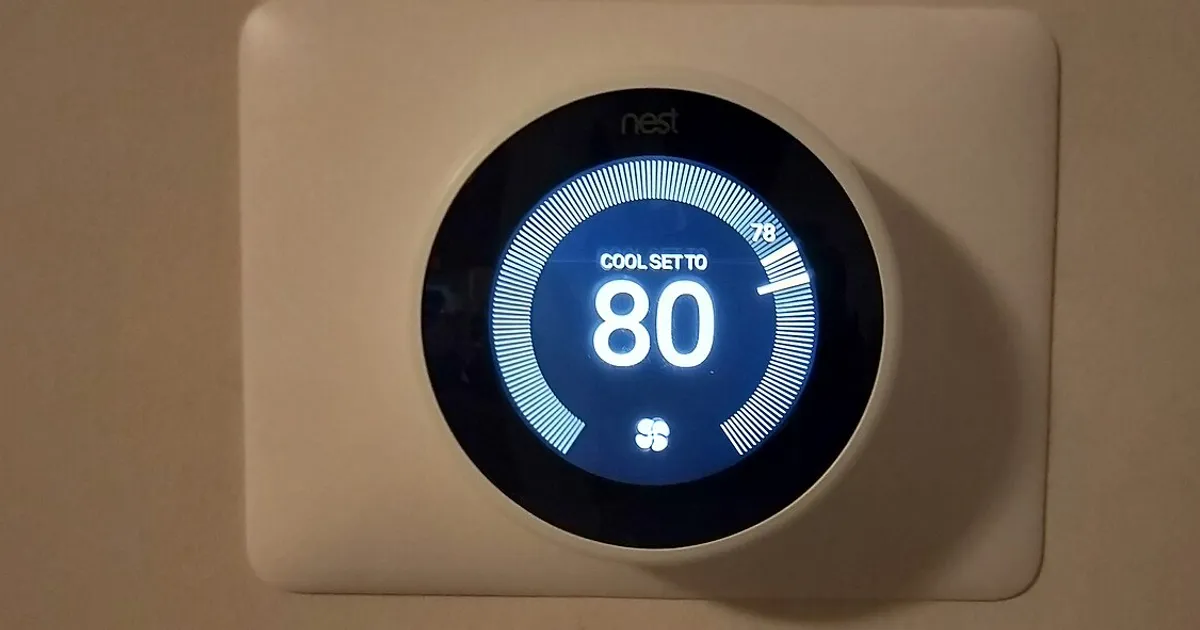
Photo: AG20044018, CC BY-SA 4.0, via Wikimedia Commons (https://commons.wikimedia.org/wiki/File:Nest_learning_thermostat_in_living_room.jpg)