A hybrid model like the Shure MV7+ and the Samson Q2U lets you start on USB and move to an XLR interface without replacing the microphone, which is the safer long-term purchase for a serious creator.
Software is the last filter. Elgato's Wave Link handles gain, mixing and effects in one place, which is why the Wave:3 MK.2 takes the streaming slot despite being a condenser that would normally lose to a dynamic on a desk.
Monitoring matters too. Headphone monitoring lets you hear the mix without the room bleeding into the recording, and most current USB models include a headphone jack on the body.
| Spec | What to look for | Why it matters | Example |
|---|
| Bit depth | 24-bit | Headroom for editing | Most current USB models |
| Sample rate | 96kHz or higher | Detail without artefacts | Current USB ceiling |
| Output | USB plus XLR | Upgrade path later | Shure MV7+, Samson Q2U |
| Pop filter | Included | Removes plosives | Rode NT-USB Mini |
| Software | Gain and mixing control | Faster setup | Elgato Wave Link |
| Mount | Desk stand or boom ready | Correct mic distance | NT-USB Mini magnetic stand |
Specifications confirmed against manufacturer pages in October 2026.
Which streaming microphone is best for a budget setup?
The Samson Q2U is the best budget streaming microphone, and the Elgato Wave Neo at about 63 dollars is the cheapest credible condenser.
The Samson Q2U ships with a USB cable and an XLR cable, so it works with a laptop today and an interface later. It is the most common first microphone for a new streamer because the accessory kit covers the cable most buyers would otherwise buy separately.
The Elgato Wave Neo is the entry point into the Elgato software family, with tap-to-mute and the same Wave Link software as the pricier models, without the Clipguard accessory. SoundGuys reported a street price near 63 dollars against an 89.99 dollar MSRP in September 2026.
For the cheapest credible setup overall, spend on a boom arm before you spend on a better microphone. A basic arm costs less than any microphone on this list and improves each one more than moving up a price tier would.
For a first stream, a hardware mute button is worth more than any extra feature. A tap-to-mute control lets you cut a cough or a noisy neighbour without hunting for a keyboard shortcut while you are live.
One caution on the cheapest tier. Free courses issue no certificate and cheap USB microphones often ship without a real shock mount, so budget for the mount, the cable and a pop filter separately.
Is the Blue Yeti still a good streaming microphone?
The Blue Yeti still wins on one feature, four selectable pickup patterns, but it is no longer the default pick in 2026.
Pattern selection is the reason to keep it. Cardioid, stereo, omni and bidirectional cover podcasting, interviews, single-speaker streaming and instrument recording, and no other mainstream USB microphone at this price matches that range.
For cardioid-only use, which covers most streaming and podcasting, a dedicated broadcast dynamic does the job better. The Rode PodMic USB is the current example of a microphone built specifically for spoken word.
The Logitech G Blue Yeti 2 arrived on September 23, 2026 at 159.99 dollars. On October 25 the Amazon buy box showed a resale listing rather than a direct sale, so it was not a confident recommendation that day.
Check the current price and seller before buying, since the difference between a direct listing and a resale listing on a 159 dollar microphone is real money, and check that the four patterns are included rather than a single-pattern variant.
Keep in mind that these are broadcast tools, not music tools. A voice microphone with a cardioid pattern is tuned for speech clarity, which is what a stream needs, while a large diaphragm condenser captures the room detail a voice stream never uses.
Which streaming microphone works with consoles and games?
The HyperX QuadCast 2 S is the gaming pick, working plug-and-play on PS5 and Xbox Series X with full RGB lighting.
HyperX lists the QuadCast 2 S as USB-class compliant and plug-and-play on PS5 and Xbox Series X, which removes the need for an interface on console streaming.
The QuadCast 2 adds RGB lighting for 149.99 dollars, and the QuadCast 2 S carries the lighting with an updated shell. Lighting matters more than it sounds, because a lit RGB body reads as intentional in a stream thumbnail.
If you only care about audio, the plain QuadCast 2 saves the money. For a quieter desk or a smaller budget, the Elgato Wave Neo covers the same lane without any lighting at all.
Your capture software treats these as plug-and-play inputs, so no mixer or interface is required, and both USB-C models work the same way on Windows and macOS streaming software.
What are the next steps to pick a streaming microphone?
Pick the room before you pick the microphone, then match the connection to how long you plan to stream.
Start by listening to the room. Record thirty seconds on your phone and play it back, and listen for echo and traffic noise.
If there is a long echo, buy a dynamic such as the Shure MV6 Gen 2 or the Logitech G Yeti GX. If the room is soft and quiet, a condenser will capture more of the detail that makes a stream sound professional.
Next, decide how long this setup lasts. If you expect to move to a dedicated interface or record multiple guests, choose a hybrid USB and XLR model such as the Shure MV7+ or the Samson Q2U.
Then handle the room. A microphone at arm's length in a bare room sounds worse than a 100 dollar microphone placed close on a boom arm with a pop filter, and that fix costs less than the price difference between the best streaming microphones.
Finally, check the price on the day you buy and confirm the seller. Microphone pricing moves with promotions, and a direct manufacturer listing at 134.99 dollars is a better deal than the same model at that price through a reseller.
Treat any streaming microphone as a five year purchase. A USB-only model will not grow with you, so if you already know you will move to a full studio setup, start with the hybrid USB and XLR option and keep the interface budget in mind.
The camera and the microphone are one purchase decision in practice, so our guide to the best webcam for streaming is worth reading next, along with budget laptops for online classes and the best laptop for programming and coding for the rest of the setup.
Verify current requirements. Prices and software features change. Check the manufacturer page before you buy.
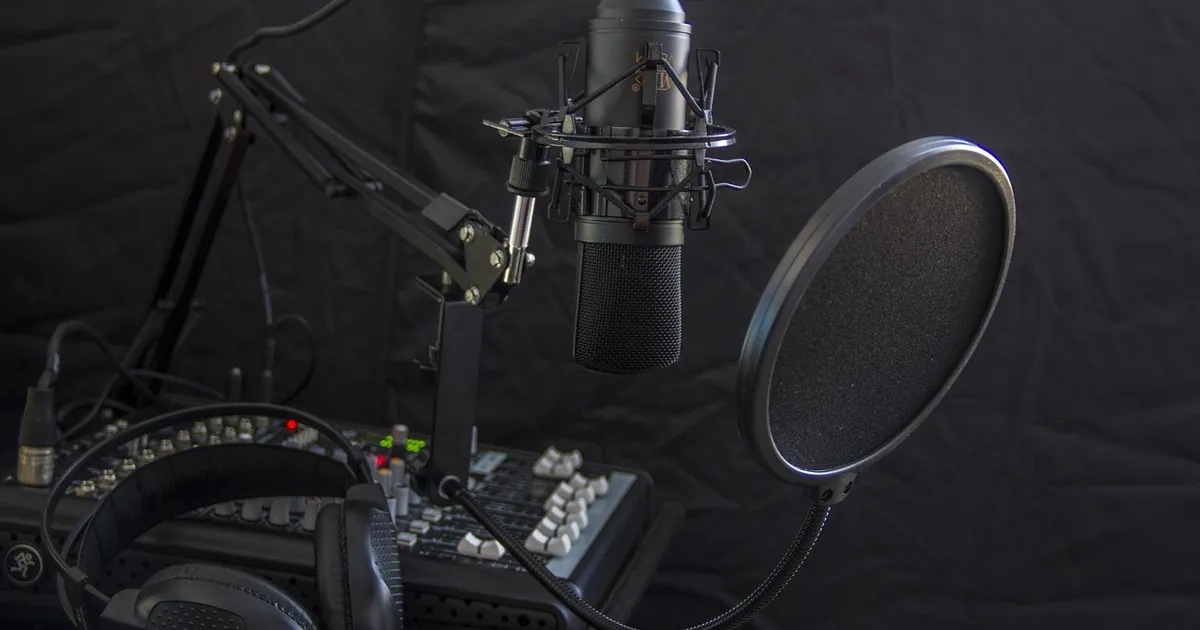
Photo: 466654, Pixabay Content License, via Pixabay (https://pixabay.com/photos/microphone-headphone-headset-radio-616788/)

 Fazlur Rahman