 Fazlur Rahman
Choosing a pen tablet for online teaching starts with one question. Do you want to write on the screen itself, or on a separate pad while you watch the screen? A pen display is a screen you draw on. A pen tablet is a no-screen pad. The six devices here run from a wired entry-level pad to a 23.8-inch display.
Six devices are matched to six teaching jobs below. Figures come from manufacturer pages and product listings, and no prices are quoted. If you have not chosen the computer yet, start with our best budget laptops for online classes guide.
What kind of pen tablet does online teaching actually need?
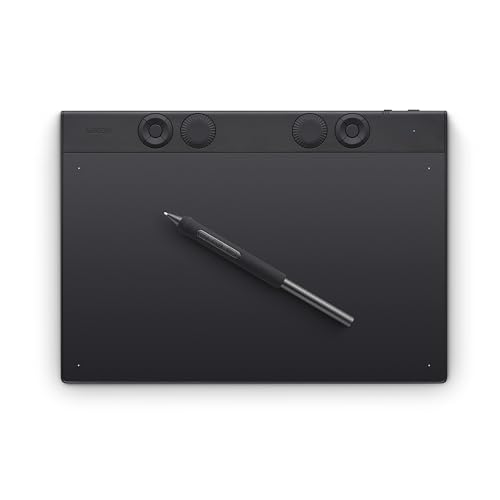
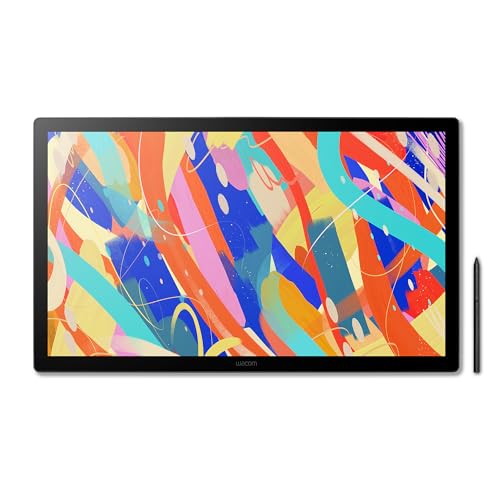
You need one of two device types. A pen display is a screen that accepts pen input, so you draw on the display itself. A pen tablet has no screen: you draw on the pad and watch the strokes on your monitor. Students see the same shared window with either type.
- ExpressKeys - Wacom's name for programmable shortcut keys on the tablet.
- Pressure levels - how many pressures the pen senses, which sets your range of line weights.
- Tilt - how far the pen can lean and still register its angle.
- VESA mount - a bolt pattern for fixing a display to a monitor arm.
Which pen tablet is best for online teaching?
The best pen tablet for online teaching depends on whether you write live or mark up files. For live whiteboard maths, choose a pen display. The XPPen Artist Pro 24 Gen 2 has the largest screen here. For shared PDFs, a no-screen pad like the Wacom Intuos Pro Medium is enough.
1. XPPen Artist Pro 24 Gen2 23.8" 165Hz Drawing Tablet with Screen - best overall
The largest screen in this guide, so it has room for live whiteboard maths, worked examples and annotation. It runs at 2560x1440, which is 2.5K QHD. That is up to 165Hz over DisplayPort or USB-C, or 144Hz over HDMI. The pen reads 16,384 pressure levels.
The stand adjusts from 16 to 72 degrees. The trade-off is desk space, since 23.8 inches is wide.