Fazlur Rahman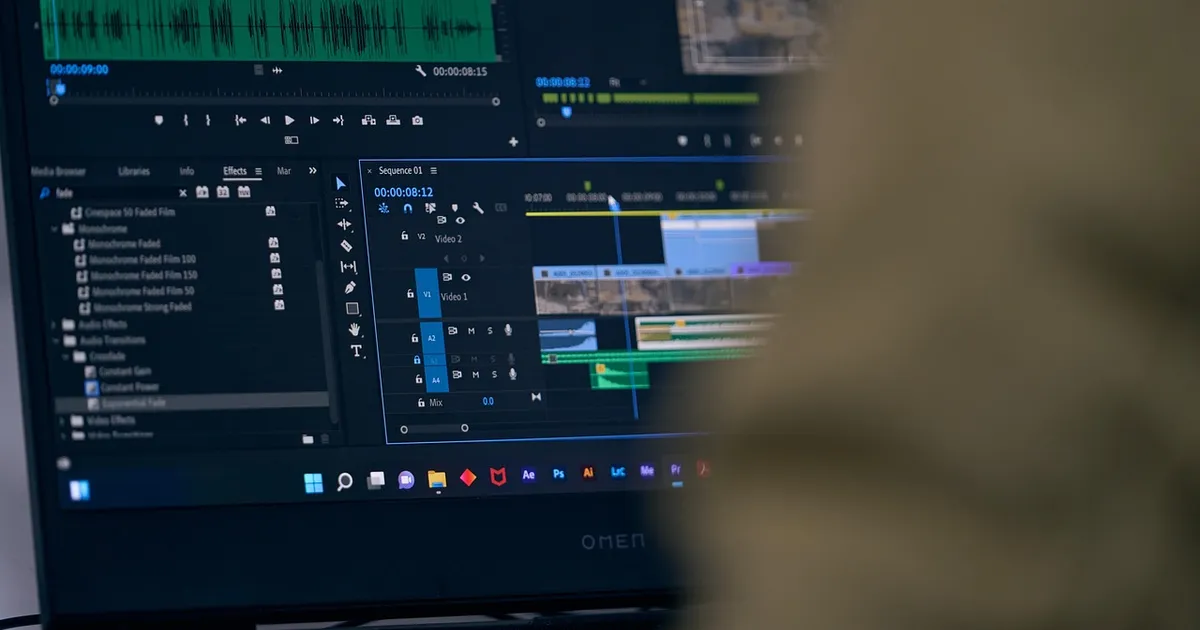
The variable that decides your editor is your project type, not the brand name on the box. Adobe lists Premiere at $22.99 a month on an annual contract billed monthly. The Creative Cloud Pro bundle costs $69.99 a month, while several desktop editors cost nothing at all. That spread runs from zero to more than $800 a year for a subscription. By the end of this guide you will compare the best video editing software for beginners by price, learning curve, and export limits.
Most beginners lose two weeks testing editors instead of shipping videos. Video editing software for new creators now handles real jobs, and every tool below can cut a clip, add music, and export a file you can upload. The real differences sit in three places: what the free version blocks, how steep the first project feels, and what the hardware costs you.
What is the best video editing software for beginners in 2026?
There is no single winner, because the answer moves with your footage and your device. Short phone clips for a social channel behave nothing like a wedding film or a long interview edit. These six editors cover the beginner market, and each one solves a different problem.
Free desktop editors
DaVinci Resolve Free is the strongest free desktop option. Blackmagic Design says the free version has no time limit. It works with virtually all 8-bit video formats up to 60 frames per second, at resolutions as high as Ultra HD 3840 by 2160. That ceiling covers almost every YouTube upload. The Studio upgrade lifts the limit to 10-bit video at 120 frames per second and resolutions beyond 4K.
Shotcut, Kdenlive, and OpenShot are also free and open source, and all three run on Windows, Mac, and Linux. The Shotcut project describes it as a cross platform editor with no import format limits. OpenShot is free to download and use, and it has the simplest layout of the three. Kdenlive is the KDE non-linear editor, so it gives you a fuller professional layout if you want to grow into it.
Free browser and mobile editors
Clipchamp gives you 1080p exports with no watermark on its free plan, according to the Clipchamp pricing page. CapCut also exports up to 1080p for free. However, the CapCut help page warns that some premium template clips keep a watermark even at that resolution. Both tools run in a browser or as a phone app, so you can start a project before you own a computer.
| Editor | Free plan limits | Best for |
|---|---|---|
| DaVinci Resolve | Ultra HD 3840 by 2160 at 60 fps | Desktop learners who want pro tools |
| Shotcut | No export cap and no watermark | Windows and Linux users |
| Kdenlive | No export cap and no watermark | Multi track and keyframe work |
| OpenShot | No export cap and no watermark | Simple first projects |
| Clipchamp | 1080p export with no watermark | Quick edits in a browser |
| CapCut | Up to 1080p on standard content | Short vertical video |
How much does each paid plan cost in 2026?
Paid plans fall into two groups. One-time licenses charge a single fee and stay yours. Subscriptions charge every month or year and usually include extra effects, faster rendering, and more cloud storage. The cheapest path to paid quality depends on how often you publish, so start with a free editor and upgrade only where the limits hit you.
Blackmagic Design lists DaVinci Resolve Studio at $295 as a one-time desktop license. The Studio product page showed a temporary $236 sale price in late 2026, so check before you buy. Apple sells Final Cut Pro for $299.99 as a one-time Mac purchase, and it only runs on Apple computers.
Adobe charges $22.99 a month for Premiere on an annual contract billed monthly. Adobe also offers the full Creative Cloud Pro bundle at $69.99 a month. The Adobe plans page shows a lower $34.99 a month rate for new subscribers, and eligible students pay $19.99 a month for that bundle in their first year. CapCut Pro costs $179.99 a year on the official CapCut pricing page. The free version still handles a full project if your footage stays at 1080p and you avoid premium templates.
| Paid plan | Price | Charge type |
|---|---|---|
| DaVinci Resolve Studio | $295 list price | One-time desktop license |
| Final Cut Pro | $299.99 | One-time Mac purchase |
| Adobe Premiere | $22.99 a month | Annual contract billed monthly |
| Adobe Creative Cloud Pro | $69.99 a month | Annual contract billed monthly |
| CapCut Pro | $179.99 a year | Yearly subscription |
Is mobile editing enough for a first channel?
For short vertical clips, yes. CapCut and Clipchamp both have phone apps, and CapCut grew its reputation on the phone. The limits show up as soon as you need long timelines, careful color work, or clean audio. Searching for the best video editing software for beginners and landing on a phone app first is normal, but it hides the cost of a real workstation.
When you are ready to move up, read Best Laptops for Video Editing 2026: 8 by Budget before you buy. Our second roundup of Best Video Editing Laptops 2026: MacBook Pro, Dell, ROG covers faster machines if you already know you want one. One warning for phone-first creators: check the export settings before you record your next clip, because you cannot add resolution later.
How long does each editor take to learn?
Clipchamp and CapCut are the fastest to learn, because both hide the timeline behind simple panels and automatic captions. OpenShot sits next with a clean interface that most beginners click through in one sitting. Shotcut takes a little longer because it shows more controls on screen, and it rewards that effort with flexibility.
DaVinci Resolve and Final Cut Pro take the longest, but they are not hard. Blackmagic Design says the Resolve interface is fast to learn and easy for new users. Both programs put the same tools professional editors use in front of you, so the learning curve comes from choice rather than confusion. Budget one or two weekends for your first real project in any of these. Beginners who rush the timeline layout pay for it later with tangled clips and confusing tracks.
Which monitor and laptop do you need to edit?
Editing is a color and motion job, so your screen matters as much as your chip. Color work needs accurate colors, and fast timeline scrubbing needs a panel that keeps up. Our tested roundup of The Best Gaming Monitors in 2026, Tested covers high refresh panels that work well for editing too.
On laptops, match the tool to the work. Resolve and Final Cut Pro lean on the graphics processor, and DaVinci Resolve also wants fast storage for 4K footage. If you plan to shoot and edit weddings for money, know the market rate first. Our guide to How Much Does a Wedding Photographer Cost in 2026? shows what clients actually pay.
How do you pick one editor and finish your first project?
Pick a free option this week and finish one video. DaVinci Resolve Free handles the full path from import to export, and Clipchamp handles it from a browser tab. Do not buy anything until you hit a limit you actually understand.
When you do hit one, match the gap to your budget. A one-time $295 or $299.99 license beats a subscription if you publish a few videos a year. A monthly plan beats it if you publish every week and want the extras. Whichever you choose, the best video editing software for beginners is the one you finish a project with. A finished short video teaches you more than another week of trials.
That makes the decision simple. Download one free editor, cut a 60 second clip from your phone footage, and export it. If the export looks wrong, you have found your limit in ten minutes instead of ten days.
Photo: terydanphiri, Pixabay Content License, via Pixabay (https://pixabay.com/photos/editing-video-computer-7320125/)