Fazlur Rahman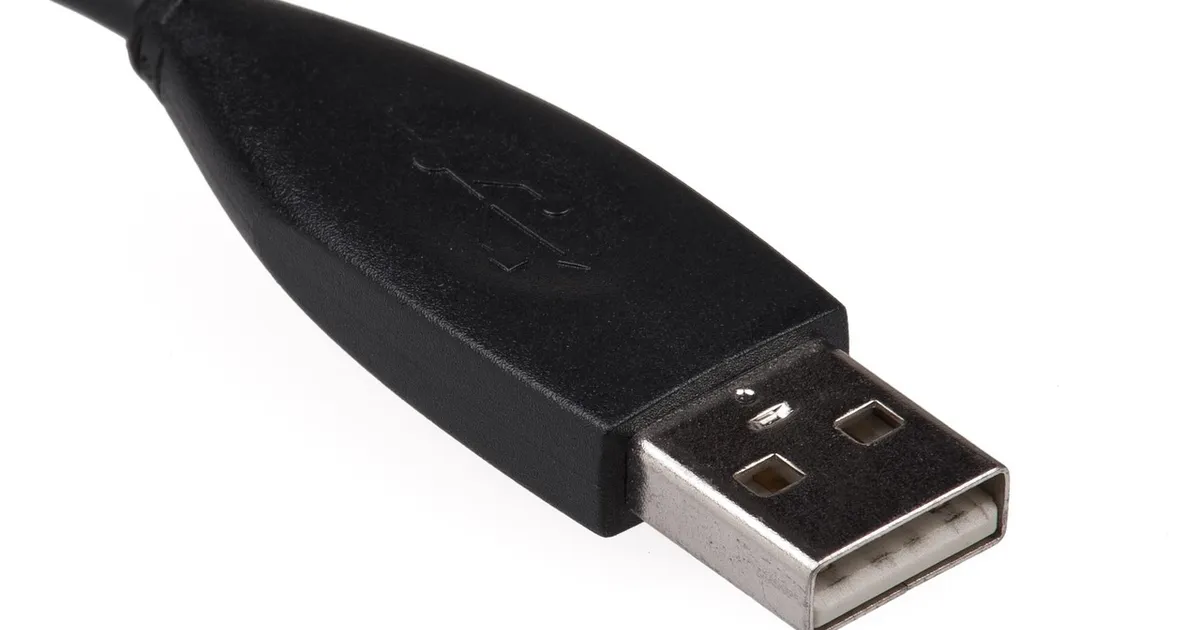
The variable that decides everything is not the cable alone. It is the connector on each end, the charger, and the device working as one chain. Two cables can look identical and still move very different power. Older Micro USB setups top out near 7 watts, while a marked USB-C cable can carry 240 watts. By the end you will know which charging cable types fit your gear, how many watts each one moves, and what each tier costs.
Connector names tell you the shape, not the speed. USB-A is the big rectangular plug, USB-C is the small oval plug, Lightning is Apple's narrow blade, and Micro USB is the tiny trapezoid. USB-IF says its Power Delivery rules can push up to 240 watts over one cable.
What are the main charging cable types and which devices use them?
These five charging cable types cover nearly every device in daily use. USB-A to USB-C is the classic wall charger cable. USB-C to USB-C is the modern default. USB-A to USB-A charges one older device from another. USB-C to Lightning charges older iPhones. Micro USB handles older Android phones and e-readers.
USB-A to USB-C
This is the cable that shipped with most Android phones for years. Belkin's USB-C guide lists a maximum of 15 watts for this pairing and no Power Delivery support.
USB-C to USB-C
Both ends are the same small oval plug, so the cable works either way. It is the default on current iPhones, Android phones, iPads and most laptops. Apple moved the iPhone to USB-C with the iPhone 15, and its store lists a 60 watt USB-C Charge Cable at $19.
USB-A to USB-A
A square plug at both ends, and the least useful of the five for most people. Older phones and e-readers shipped with this lead to charge from a computer or wall adapter.
USB-C to Lightning
One small oval plug on one end and Apple's narrow blade on the other. It charges iPhones with the Lightning port, before the iPhone 15. Apple's store lists the one meter USB-C to Lightning Cable at $19, and it can use 20 watt and 30 watt adapters for fast charging.
Micro USB
The smallest connector in daily use, shaped like a tiny trapezoid. It belongs to older Android phones, older Kindle e-readers and cheap accessories. Anker's Kindle guide notes that older models such as the Paperwhite 3 need Micro USB.
| Cable pair | Connector shapes | Fits |
|---|---|---|
| USB-A to USB-C | Square plus oval | Android phones and tablets |
| USB-C to USB-C | Oval plus oval | Current iPhones, iPads, laptops |
| USB-A to USB-A | Square plus square | Older phones and e-readers |
| USB-C to Lightning | Oval plus blade | iPhones before the iPhone 15 |
| Micro USB | Tiny trapezoid | Older Androids and Kindles |
How many watts can each cable carry safely?
The answer depends on the weakest link in the chain. Every one of the charging cable types follows the same rule. The charger, the device and the cable each have a ceiling, and the lowest one wins. A 240 watt cable in a 20 watt charger gives 20 watts.
The USB Battery Charging 1.2 rules that USB-IF publishes set a plain USB-A charging port at 5 volts and up to 1.5 amps. That works out to 7.5 watts. Many chargers and ports offer 2.4 amps instead, which is 12 watts. A USB-C port does better because the connector can negotiate a higher voltage.
| Cable pair | Voltage and current | Top power |
|---|---|---|
| USB-A to USB-C | 5 volts at 3 amps | 15 watts |
| USB-A to USB-A | 5 volts at 2.4 amps | 12 watts |
| USB-C to USB-C | 20 volts at 3 amps | 60 watts |
| USB-C to USB-C | 20 volts at 5 amps | 100 watts |
| USB-C to USB-C | 48 volts at 5 amps | 240 watts |
| USB-C to Lightning | 5 volts at 2 amps | 20 watts |
| Micro USB | 5 volts at 1.5 amps | 7.5 watts |
Two steps in that table matter most. The jump from 60 to 100 watts comes from a higher current limit, 3 to 5 amps. The jump from 100 to 240 watts comes from a higher voltage, 20 to 48 volts.
USB-IF says Power Delivery Revision 3.1 added fixed voltage steps of 28, 36 and 48 volts. Those steps support power levels of 140, 180 and 240 watts.
What does an e-marker chip do and do 240 watt cables need one?
An e-marker is a tiny chip inside the connector that tells the charger what the cable can handle. Belkin explains that its 100 watt cable uses a single e-marker describing the maximum power load the cable carries. Without the chip, a USB-C cable is capped at 3 amps, which is 60 watts.
Any cable that carries more than 3 amps needs an e-marker. A 240 watt cable pushes 5 amps at 48 volts. USB-IF treats that higher voltage range as the Extended Power Range, and the chip tells both ends the cable can handle it.
Apple's 240 watt USB-C Charge Cable, the two meter woven one that costs $29, is a cable with spare capacity. Apple says it supports charging up to 240 watts and transfers data at USB 2 speeds.
Do not expect 240 watts from a phone. The phone asks for what it can take, and a 240 watt cable with a 20 watt charger still charges at 20 watts.
What is the difference between a data cable and a charge only cable?
Every USB cable carries power. Only some also carry data. A charge only cable has the data wires removed, so it powers a device but cannot copy files. A data cable keeps those wires and handles both jobs.
Speed depends on the standard inside the cable. USB 2.0 moves data at 480 megabits per second. USB 3.2 Gen 1 reaches 5 gigabits per second, and USB4 runs at up to 40 gigabits per second on fast cables. USB-IF says USB4 doubles the bandwidth of the earlier architecture.
Here is the trap. Apple's own 240 watt cable carries power at the top of the range but moves data at USB 2 speeds. If you plan to copy video off a phone or drive a display, buy a cable that lists a data speed.
There is a second trap on the charger side. A USB-A port cannot do Power Delivery. A USB-A to USB-C cable never reaches the 60 watt and above levels that USB-C to USB-C can.
How much do these cables cost by tier?
Three price bands cover almost every cable on the shelf, and the gap between them is about build quality, not speed.
| Price band | What you get | Good for |
|---|---|---|
| Under $10 | Basic 60 watt USB-C to USB-C | Phones, tablets, a spare |
| $10 to $20 | Braided nylon, longer lengths, 100 and 240 watt | One cable for phone, tablet, laptop |
| $20 to $30 | Woven brand name 240 watt cables | Laptops and long term gear |
PCWorld's 2026 roundup of USB-C cables lists an Anker two-pack of six foot USB-C to USB-C cables at about $14. It also lists a Belkin 240 watt cable at $19.99. In May 2026 PCWorld reported Anker 240 watt cables at $5 each in a two-pack promotion. Apple's 240 watt USB-C Charge Cable costs $29, and Apple's 60 watt USB-C Charge Cable costs $19.
Spend in the middle band for a cable you will keep. Spend at the top only when you need the wattage or the brand. Skip the bottom band for anything you will drag across a desk daily.
Which cable should you buy for your device?
Start from the device, not from the shelf. If the port is a small oval, you want USB-C on that end. If it is a narrow blade, you want Lightning. If it is a tiny trapezoid, you want Micro USB. Compare the charging cable types by port and wattage label, not by the picture on the box.
Then check what the charger can do. A 20 watt wall plug is enough for a phone. Apple's iPhone 16 tech specs list fast charging of up to 50 percent in 30 minutes with a 20 watt adapter or higher. A laptop may ask for 60 watts or more, and a 60 watt cable fits most laptops.
If you are still picking a phone, our guide to the best phones for college students compares iPhone, Galaxy and Pixel models. Our best iPhone for students guide shows which iPhones still need a Lightning cable.
One warning before you buy. A USB cable is not an electric car charging cable, and cars use their own connector. If a car charger is what you need, read our guide to EV charger installation cost for the home hardware side. Our EV charging cost breakdown covers the energy cost.
Finally, buy a spare. A second cable in a bag costs a fraction of a phone or laptop that cannot charge on a trip. Keep one 60 watt cable for your phone and one for a laptop.
Photo: janeb13, Pixabay Content License, via Pixabay (https://pixabay.com/photos/connector-usb-plug-standard-1199953/)